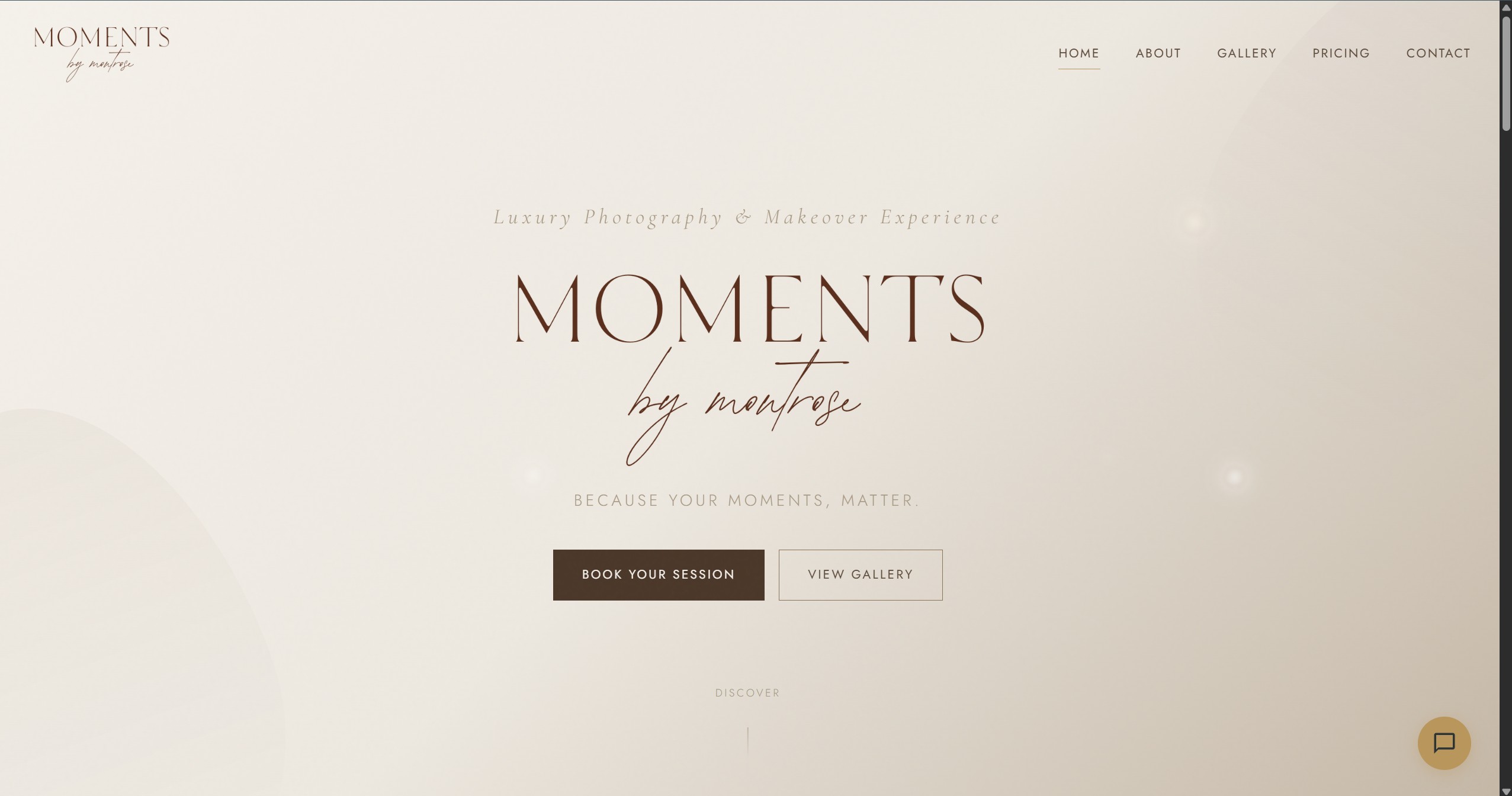
Moments by Montrose — luxury photography studio homepage with full-bleed imagery and refined typography
"Luxury client website with a self-service CMS that actually gets used"
A bespoke studio website built to look premium, load fast, and give the client real operational independence. Under the hood, a Git-based CMS and automated deployment workflow let a non-technical business update content safely without becoming dependent on a developer.
The client — a professional photographer running a luxury studio — needed more than a beautiful website. They needed a site they could genuinely manage themselves: update galleries, refine pricing, refresh FAQs, and keep the business current without needing to message a developer every time something changed.
Previous options had missed the mark. WordPress introduced complexity and maintenance overhead. Website builders were easier, but too restrictive to feel truly bespoke. The target was clear: something that looked high-end, performed well, and still gave the client a simple editing experience.
The final requirement was operational confidence. The client needed a setup that avoided plugin churn, fragile hosting, and ongoing admin burden — a solution that felt professional on the front end and dependable behind the scenes.
The solution was a Jamstack architecture: Eleventy (11ty) for static generation, Netlify CMS for content management, and Netlify for hosting. That stack delivers the speed and resilience of a static site while still giving the client an editing experience that feels straightforward and approachable.
When the client updates content through the CMS, the change is committed to Git behind the scenes, a rebuild is triggered automatically, and the updated site is deployed — typically within 30 seconds. The client sees a clean admin interface; under the hood, they benefit from version control, atomic deploys, and CDN-backed delivery.
By choosing a Jamstack architecture, the client gets enterprise-grade performance — global CDN delivery, automatic SSL, atomic deploys, and Git-based version control on every content change. The site is pre-built at deploy time, which eliminates entire categories of operational risk: no server to patch, no database to back up, no CMS vulnerabilities to monitor. That's not a limitation — it's a deliberate engineering decision that gives a small business the same infrastructure resilience as a large enterprise.
A minimal static site generator that outputs pure HTML from templates and data files. No client-side JavaScript framework needed — just fast, accessible HTML with Nunjucks templating for dynamic content.
A Git-based content management system that provides a friendly admin UI backed by Git commits. Content is stored as Markdown/JSON files in the repo — version-controlled by default with full rollback capability. Invite-only access keeps the admin panel secure.
Hand-crafted CSS for a luxury aesthetic — refined typography, elegant spacing, full-bleed imagery, and smooth transitions. Fully responsive from mobile to large displays with no framework overhead.
Automated Git-triggered builds, global CDN distribution, free SSL, custom domain, and built-in form handling. The entire hosting and deployment pipeline is managed automatically — the same infrastructure pattern used by high-traffic production sites.
Upload photos, assign categories (weddings, portraits, events), set featured images, reorder galleries, and add captions — all through a visual drag-and-drop interface.
Update package names, descriptions, and prices instantly. Add seasonal promotions or new packages without any developer involvement.
Add, remove, or reorder frequently asked questions. New FAQs appear on the site within seconds of publishing — useful for addressing common client queries quickly.
Every page adapts beautifully from mobile to desktop. Photo galleries use responsive image loading — smaller files for mobile, full resolution for desktop — keeping the site fast on any connection.
Netlify Forms handles submissions with spam filtering, email notifications, and a dashboard for reviewing enquiries. No backend server or third-party form service needed.
Semantic HTML, meta tags, Open Graph data, structured data, and fast load times. The site is built for search engine visibility — critical for a local photography business.
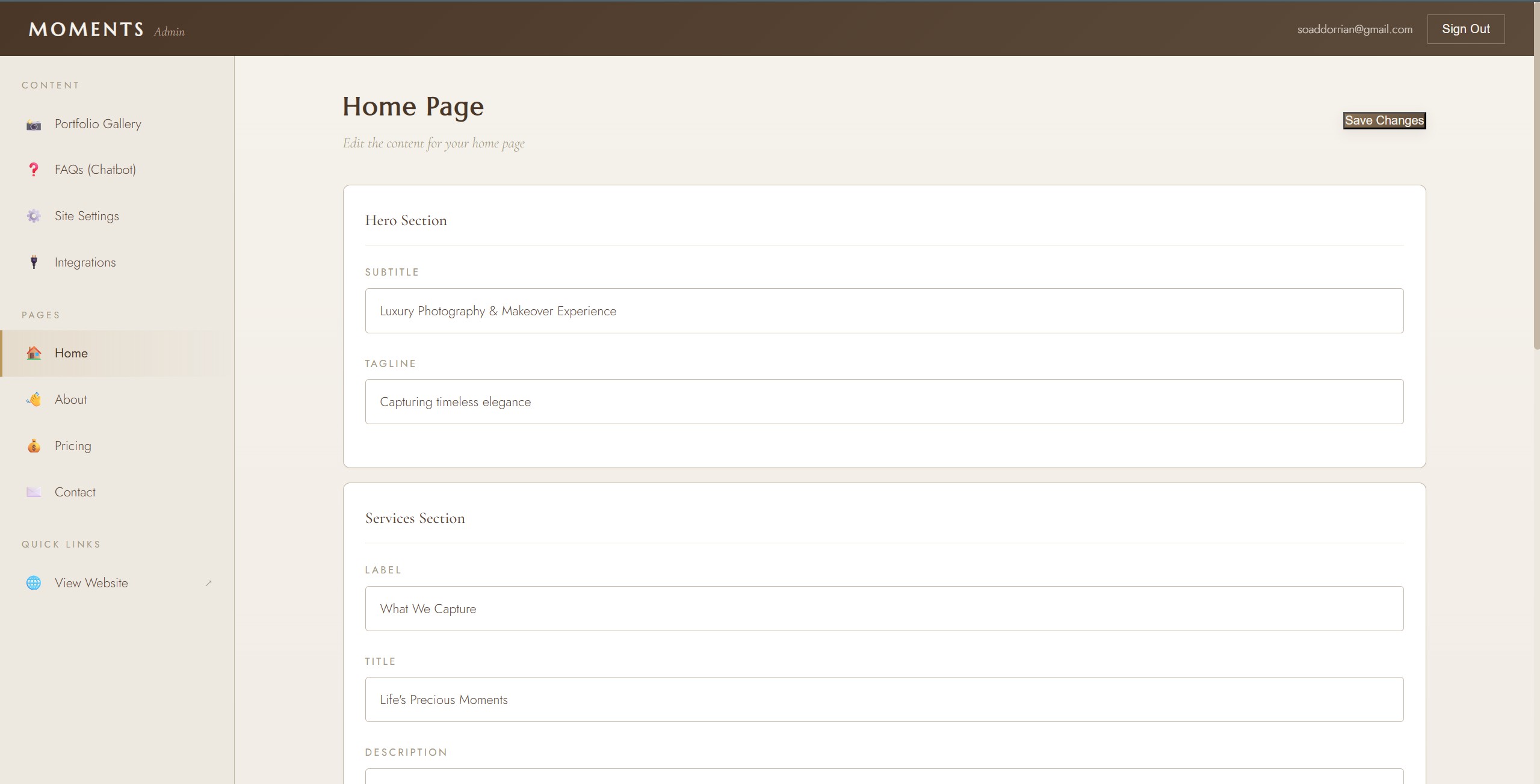
The CMS mattered just as much as the front end. This is the part that made the handover succeed: a clean editing experience the client could actually return to without anxiety.
Moments by Montrose launched successfully and the client has been managing their own content with confidence ever since. The site feels premium, loads quickly, and does exactly what the business needed: present the brand well without creating maintenance anxiety.
The strongest result is behavioural, not technical: the client actually uses the CMS, updates the site independently, and has actively referred my web development services to other businesses. That is the kind of outcome I aim for on client work — something that looks good, works properly, and remains useful after launch.
The client praised the simplicity of the admin panel, the speed of the site, and the fact that they haven't needed developer support since launch. They update their gallery and pricing regularly without any assistance.
Challenge: The client had no technical background. The CMS needed to feel as simple as posting on social media — any friction would mean they'd stop using it and start calling me instead.
Solution: Customised the Netlify CMS config to show only the fields the client actually needs, with clear labels and helpful descriptions. Created a one-page guide with screenshots. Ran a 30-minute walkthrough session. The client was self-sufficient from day one.
Challenge: Professional photography files are enormous — 5-15MB per image. A gallery page with 20 photos would be 200MB+ without optimisation, making the site unusable on mobile.
Solution: Implemented a responsive image pipeline: photos are processed at build time into multiple sizes (thumbnail, medium, full), converted to modern formats (WebP with JPEG fallback), and served via <picture> elements with appropriate srcset attributes. Lazy loading ensures only visible images are fetched.